
Download photos & music on Telegram Web K
Install TG Video Photo Download, open web.telegram.org/k, then download photos and music (plus video) from groups or channels you can access.
How To Use
- 1
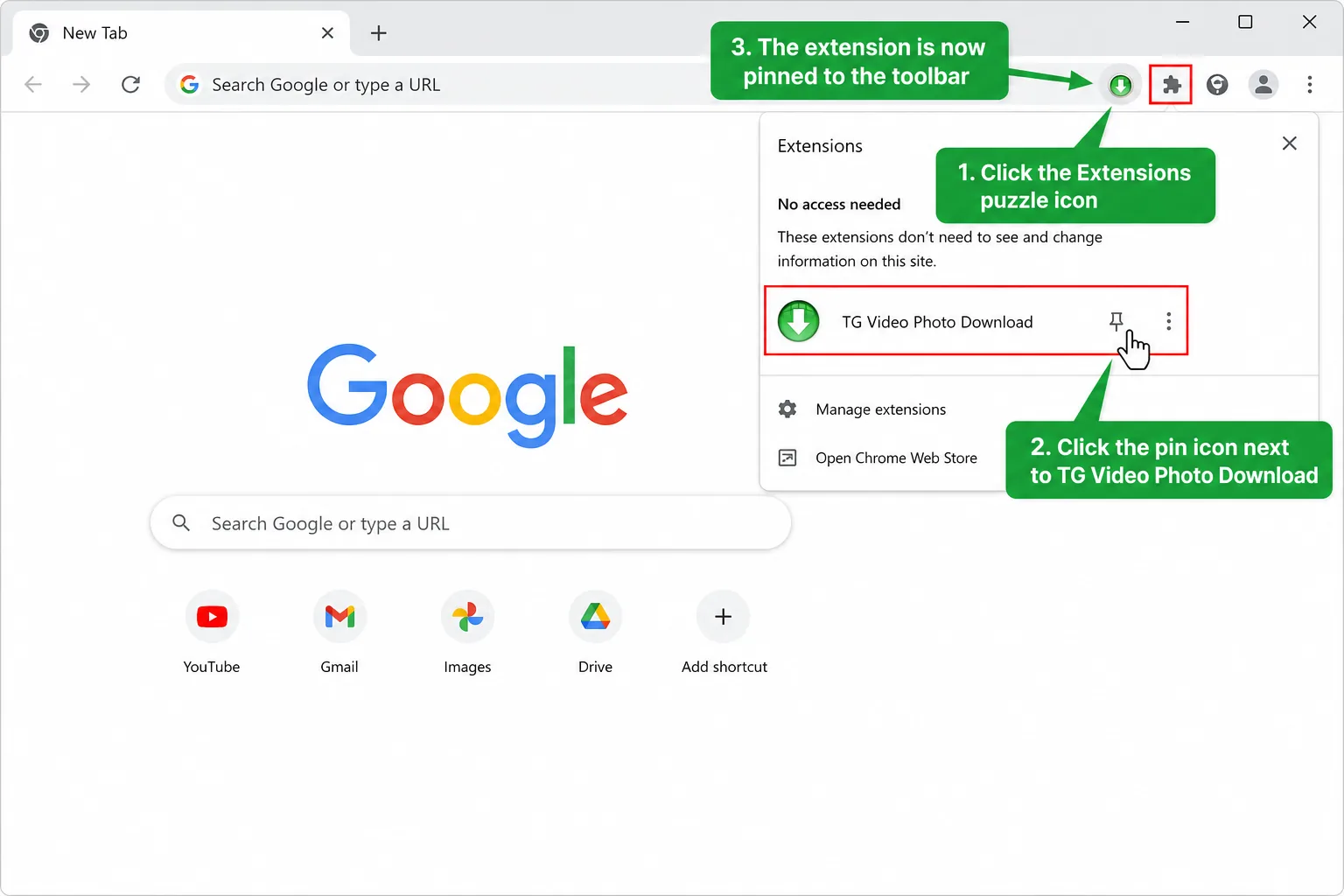
Step 1: Install the downloader
Add TG Video Photo Download from the Chrome Web Store and pin it to your toolbar.
- 2
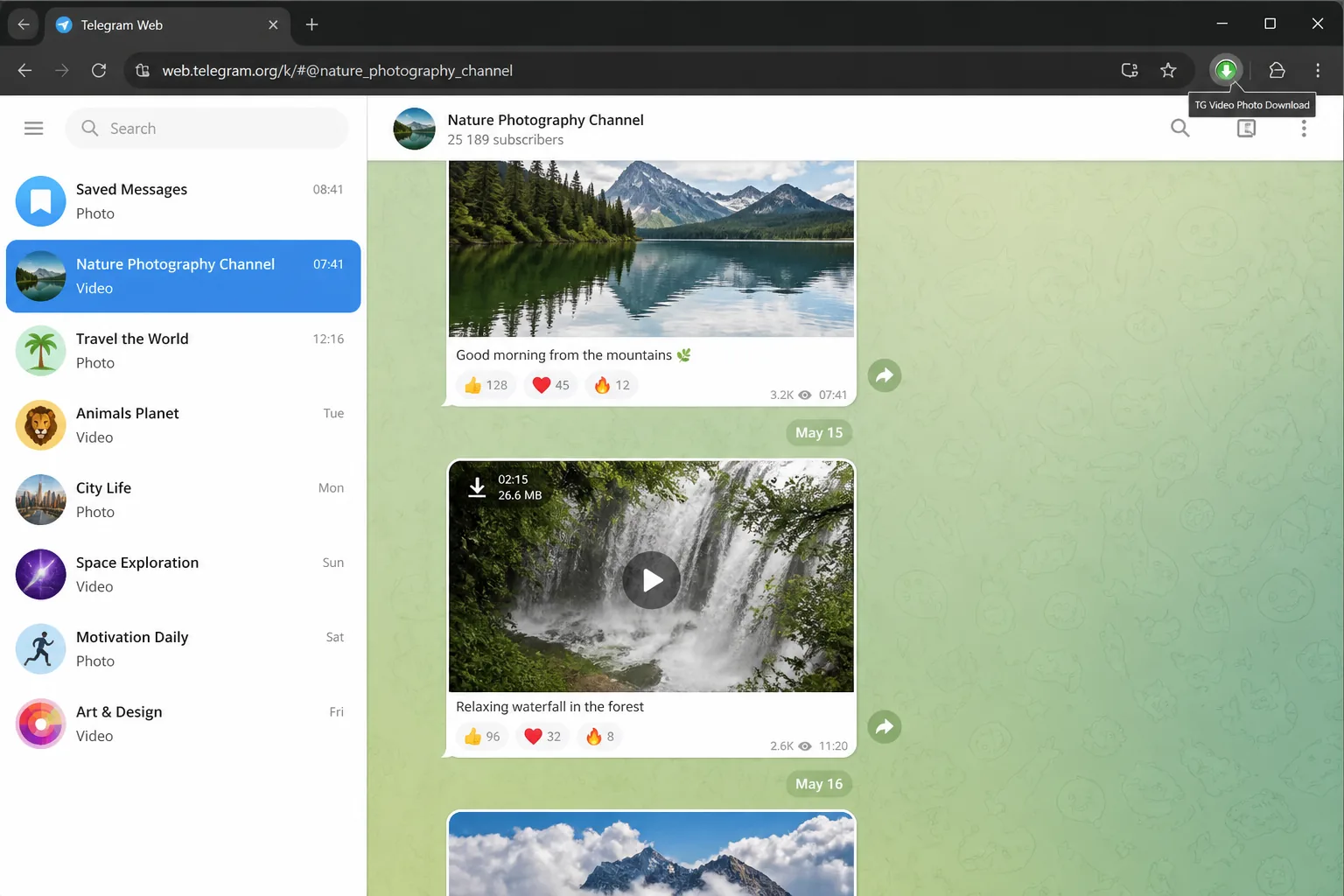
Step 2: Open a group or channel
On web.telegram.org/k, sign in and open a group or channel you can already access for photo/music work.
- 3
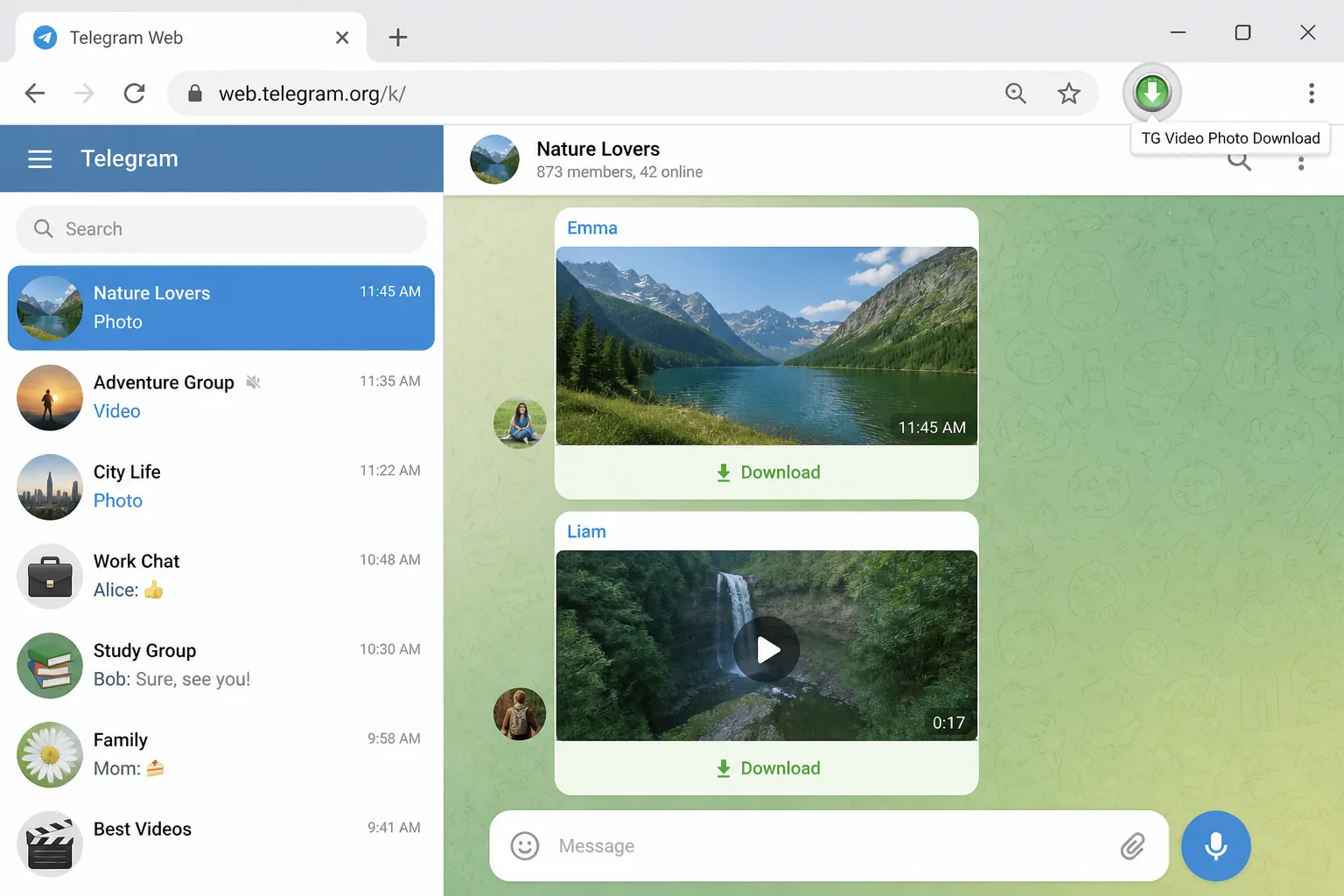
Step 3: Use download buttons
Download actions appear on photos and music first. Use single download or batch when available.
- 4
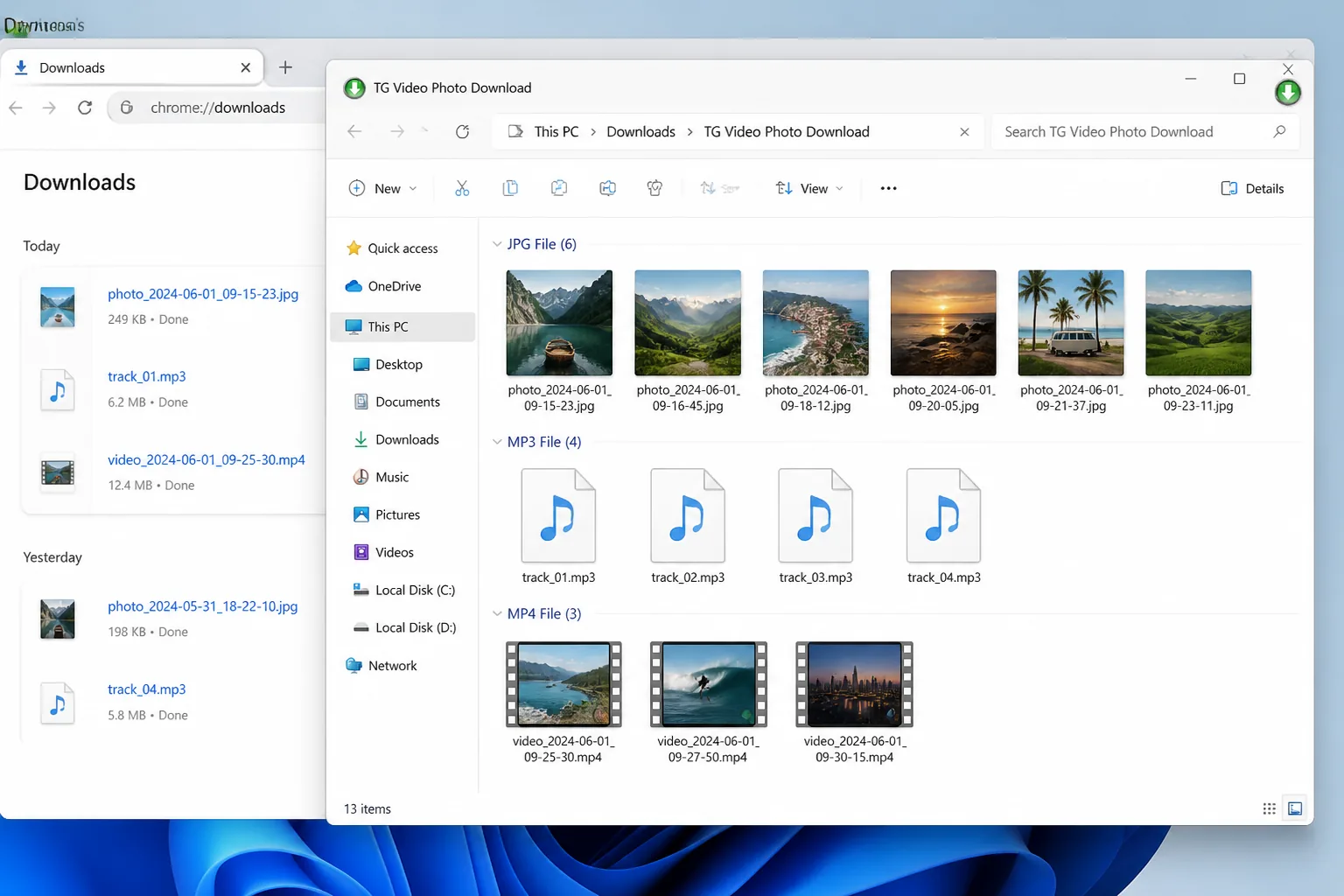
Step 4: Download to your computer
Export media locally. Upgrade when you need higher daily quotas for heavier photo/music sessions.
Frequently asked Questions
What is TG Video Photo Download?
TG Video Photo Download is a Chrome extension for Telegram Web K. It helps you download photos, music, and videos from groups and channels you can access - a focused telegram photo download and telegram music download workflow.
Do I need to register?
You can install and start using the extension without a separate product login for basic downloads. Paid plans may require account access for quota upgrades.
Which file types are supported?
Typical exports include photos (JPEG, PNG, GIF), videos (MP4 and common formats), and audio/music (MP3, AAC, and similar). Availability depends on what Telegram Web exposes for that chat.
Where does it work?
Download runs on Telegram Web K in Chrome. We do not promise one-click download inside official mobile apps.
Can I batch download media?
Yes. Where Telegram Web allows it, select multiple items and batch-download to speed up photo and music exports.
TG Downloader
TG Video Photo Download - photos, music & video
One-click downloads on Telegram Web K. Start your telegram photo download workflow today.